Find the Google Ads spend that is not producing customers.
Connect Google Ads to ChatGPT or Claude and run a free audit. LoomaScale finds costly search terms, budget leaks, and campaigns spending without conversions. The audit only reads your account.
No card required, and a 14-day free trial with unlimited requests.
What comes back
Estimated avoidable spend
$1,240 / month
of the $5,800 this account spent in the last 30 days
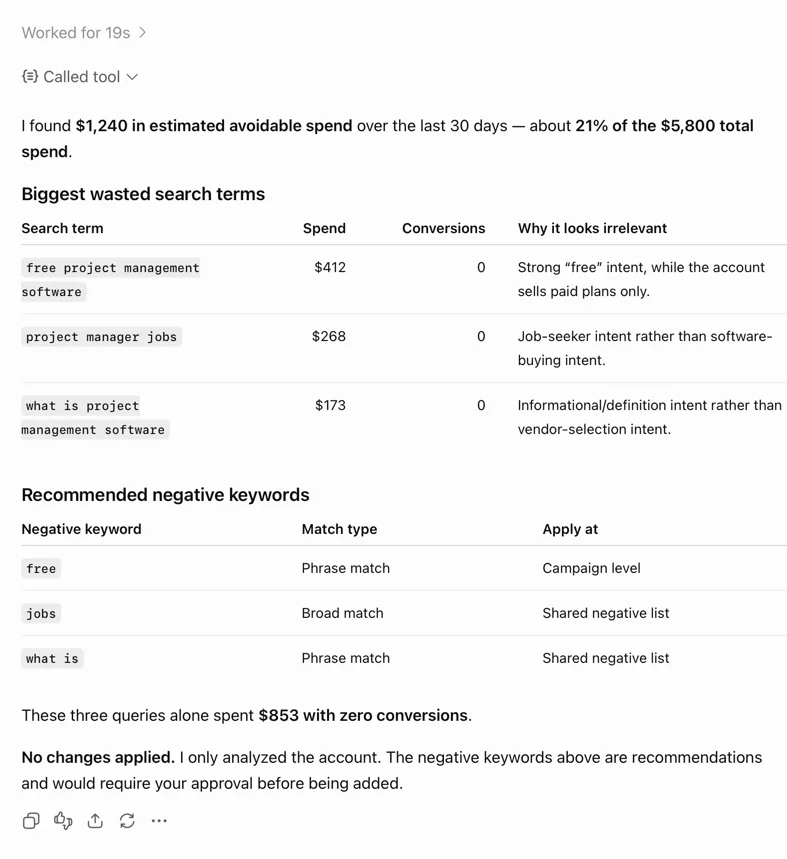
An example run. The figures are illustrative; the shape of the answer is exactly what the audit returns.
What is a Google Ads waste audit?
A Google Ads waste audit is a review of where an account's money goes without producing a customer. It reads the last 30 days across campaigns, ad groups, keywords and search terms, and reports the spend that bought clicks but no conversions — ranked by how much each problem costs per month.
How to run yours in three steps
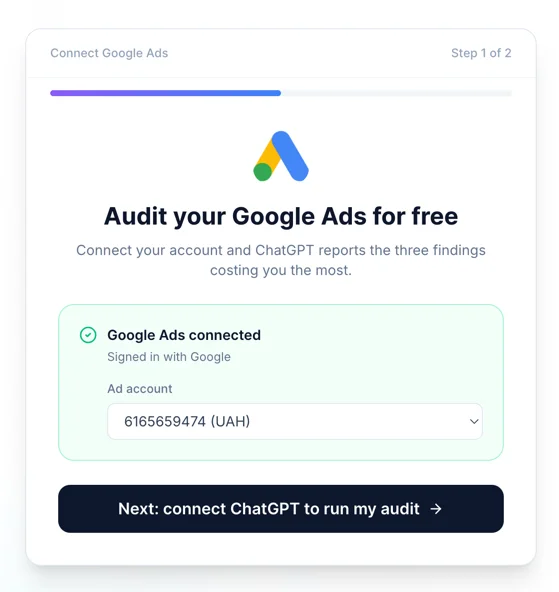
Connect Google Ads
Create a free LoomaScale account and connect Google Ads through Google's own sign-in. No password is shared, and you can revoke the access from your Google account at any time.
Paste the audit prompt
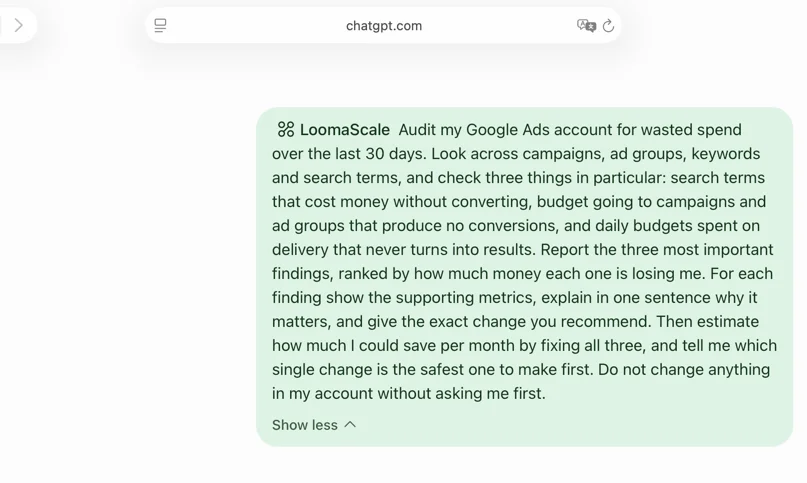
Open ChatGPT or Claude, paste the prompt below, and send it. The assistant reads your account live — no export, no spreadsheet, no waiting.
Read the findings, then act or ignore
Three ranked findings come back, each with the metrics behind it and the exact change proposed. Nothing is applied until you say so.
The prompt it runs
Nothing to word yourself: this is the same audit prompt the product hands out, so what you paste is what runs. The @LoomaScale mention in front is how ChatGPT aims a message at a connector; in Claude you can drop it.
@LoomaScale Audit my Google Ads account for wasted spend over the last 30 days. Look across campaigns, ad groups, keywords and search terms, and check three things in particular: search terms that cost money without converting, budget going to campaigns and ad groups that produce no conversions, and daily budgets spent on delivery that never turns into results. Report the three most important findings, ranked by how much money each one is losing me. For each finding show the supporting metrics, explain in one sentence why it matters, and give the exact change you recommend. Then estimate how much I could save per month by fixing all three, and tell me which single change is the safest one to make first. Do not change anything in my account without asking me first.
You get the three costliest problems, the metrics behind each one, the exact change proposed, an estimate of the monthly saving, and which change is safest to make first.
Can it change my account without asking?
No. The audit only reads — a report request cannot alter a campaign. When you go on to ask for a change, the server is what limits it: new campaigns can only be created paused, a campaign LoomaScale did not build cannot be activated through it, and anything that would push spend past the daily cap on your account is refused rather than quietly reduced. LoomaScale never sees your Google password: access runs through Google's own sign-in, and you can revoke it from your Google account at any time.
Works in ChatGPT and in Claude
Setup takes about two minutes either way — the ChatGPT setup guide or the Claude setup guide. The audit, the prompt and the guardrails behave identically in both.
Would rather audit it yourself?
The method behind this page is written up in full: auditing a Google Ads account with AI walks seven checkpoints by hand, and finding the search terms wasting your money covers the spend-over-threshold filter that surfaces the costly queries.
Questions people ask
Is the audit really free?
- Yes. The free trial needs no card and gives you 14 days with unlimited ad accounts, from your first request — the audit, the follow-up questions and the fixes. You only pay if you go on to run the account from chat after the trial.
What access does it need?
- Read and change access to the one Google Ads account you pick, granted on Google's own sign-in screen. LoomaScale never receives your Google password, and you can revoke the access from your Google account in two clicks.
How long does it take?
- About two minutes to connect the account, and under a minute for the audit itself. It reads live data, so there is nothing to export and nothing to schedule.
How far back does the audit look?
- The last 30 days by default. Ask for a different window in the same sentence — “audit the last 90 days” — and it uses that instead.
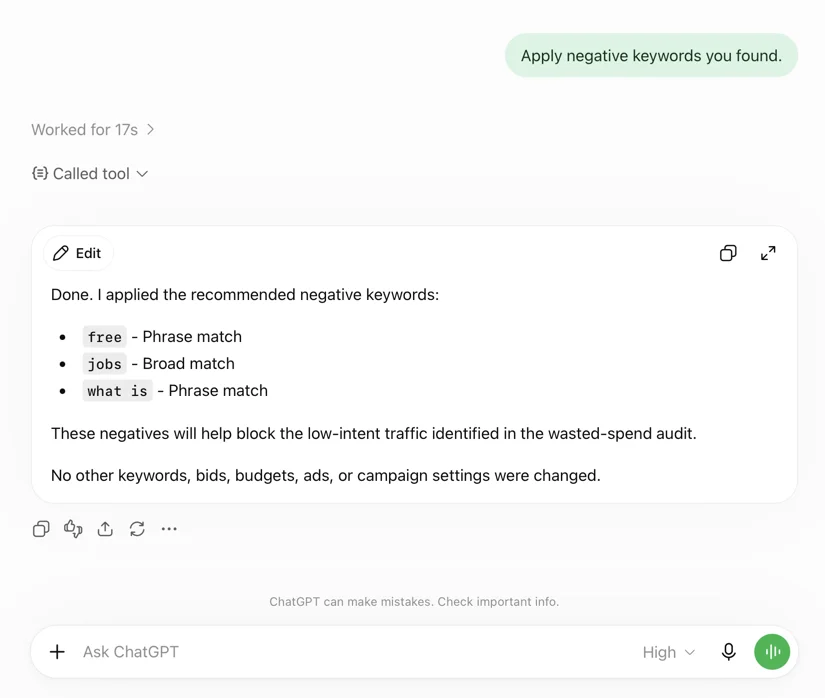
Will it add the negative keywords for me?
- Only if you ask, and only after it has shown you the list. Say yes and it adds them and reports what it changed; say nothing and the account stays exactly as it was.
Does it work on small accounts?
- Yes, though the findings sharpen with volume. Under roughly $500 a month there is often too little search-term data to call a query wasted with confidence, and the audit says so rather than guessing.
Point it at your own account.
Connect Google Ads, paste one prompt, and see what the last 30 days actually bought. 14-day free trial, unlimited requests, no card.
Run my free waste auditConnect your assistant to your ad platform
LoomaScale runs inside the assistant you already use. Pick the pair you work with; each guide takes about five minutes.

Manage Google Ads campaigns from ChatGPT: search terms, budgets and new campaigns, paused for your review. One-click install from ChatGPT's directory.
Read the integration
Manage Google Ads from Claude: audits, budget changes and new campaigns, every write inside the spend cap you set. Connect from Claude's directory.
Read the integration
Install the LoomaScale plugin in Claude Code with two commands and audit Google Ads from your terminal: search terms, budgets and pacing, with skills built in.
Read the integration
Install the LoomaScale plugin in OpenAI Codex with two commands and audit Google Ads from your terminal: search terms, budgets and conversion goals.
Read the integration
Manage Facebook and Instagram campaigns from ChatGPT: ad sets, budgets and creatives in one chat. The same one-click install.
Read the integrationManage Facebook and Instagram campaigns from Claude: audits, budget caps and new ad sets, inside the limits you set.
Read the integrationRun Facebook and Instagram campaign reviews from Claude Code: the same plugin, one sign-in, and skills for waste audits, pacing and creative fatigue.
Read the integrationReview Facebook and Instagram campaigns from OpenAI Codex: the same plugin and sign-in, with placement, age and lead-quality checks.
Read the integrationConnect Manus to Google Ads through LoomaScale’s MCP server. Analyze campaigns, keywords and search terms, then request changes within your permissions and spend cap.
Read the integrationAsk Slackbot about Google Ads in any Slack DM: audits, search terms and pacing checks, with changes kept inside your spend cap. Install the app once per workspace.
Read the integrationConnect Manus to Meta Ads through LoomaScale’s MCP server. Review Facebook and Instagram campaigns, ad sets, creatives and placements.
Read the integrationAsk Slackbot about Facebook and Instagram campaigns in any Slack DM: delivery, pacing and ad-set spend, read live from Meta Ads.
Read the integration